Lightspeed Filter Remover
Welcome to the ultimate tool for navigating the web without restrictions. Follow this guide to get started.
Extension Overview
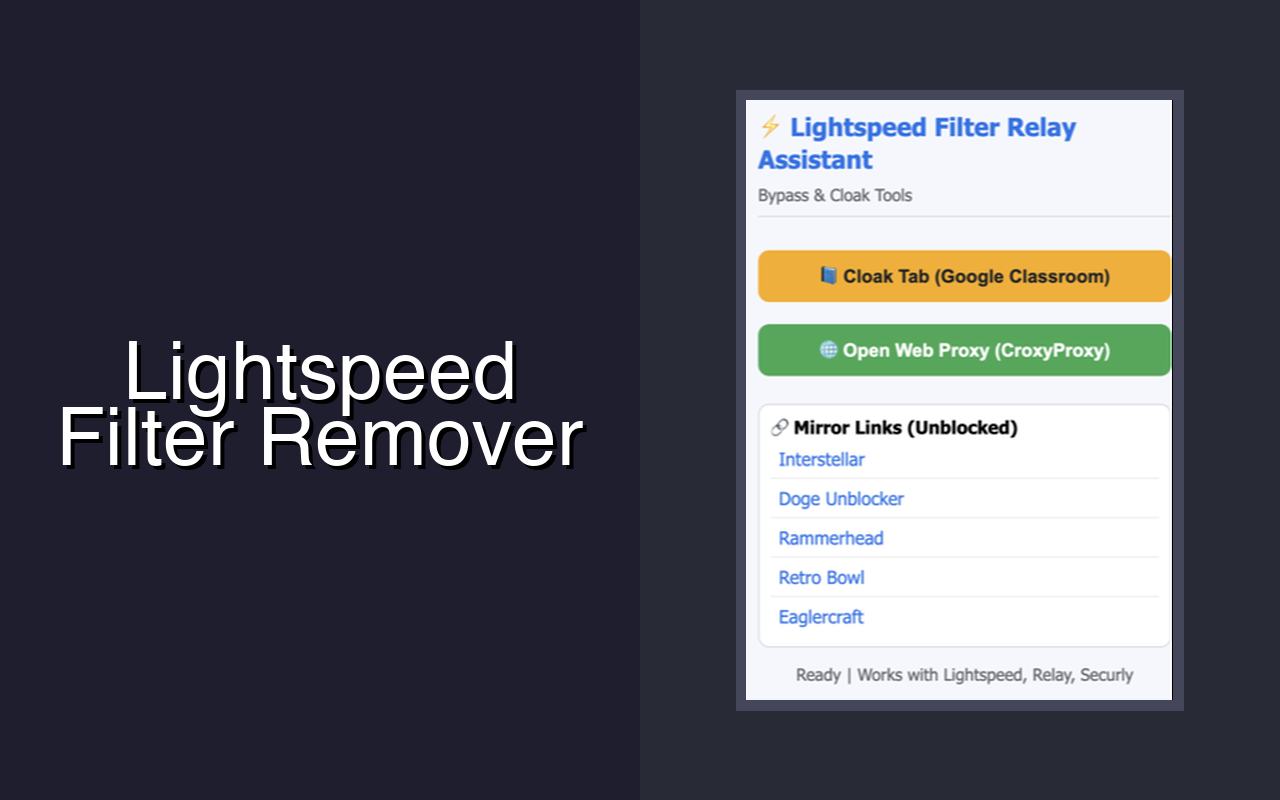
This extension is designed to help you bypass school or network filters like Lightspeed & Relay safely and efficiently. With powerful features including proxy switching, mirror link detection, and tab cloaking, you regain control over your browsing experience.
How to Use the Extension
- Pin the Extension: Click the puzzle piece icon in the top right corner of your Chrome browser and click the pin icon next to "Lightspeed Filter Remover" so it's always visible.
- Open the Menu: Click the extension icon in your toolbar to open the main interface.
- Unblock Websites: Navigate to any blocked page. If a known web proxy or mirror link is available, the extension will provide quick access to redirect you immediately.
- Cloak Tabs: Use the "Cloak Tab" feature to disguise your current tab as a harmless website (e.g., Google or Google Drive) to keep your browsing private from shoulder surfers or monitoring software.
You're All Set!
Enjoy unrestricted access and remember to browse responsibly. If you need any more assistance, refer to our official support channels.